Visualize material, present, sell convincingly
The DDL Marketing Tools make natural stone tangible: blend real slab images into pre-made room scenes, create example images for the online gallery and send visualizations by email directly to customers.
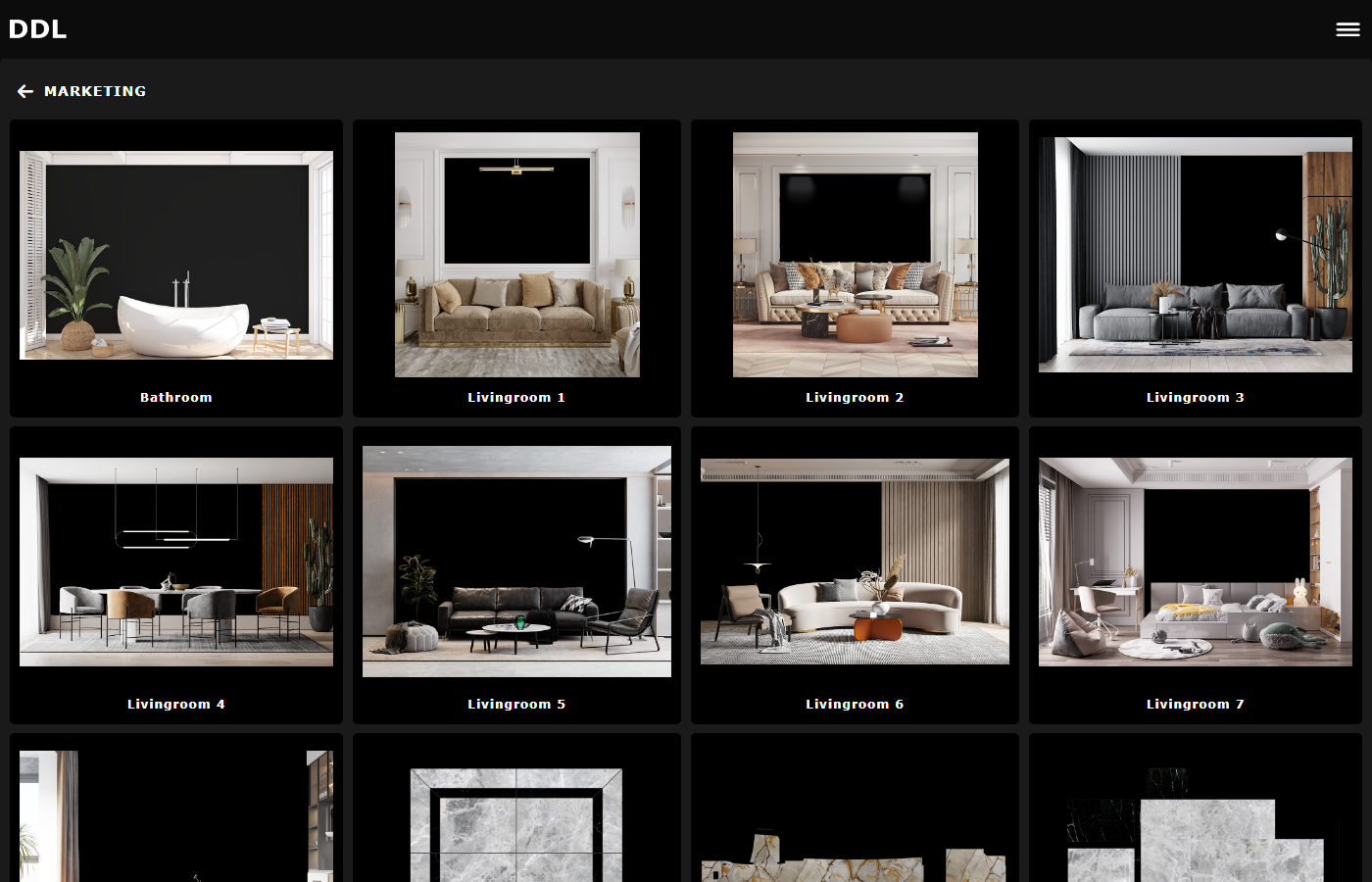


What the Marketing Tools do for natural stone
From slab image to room visualization, present and sell material convincingly.
Blend slab images into room scenes
Real slab photographs are blended into pre-made room templates. Customers immediately see how the natural stone looks in a room.
Use pre-made room templates
Choose from multiple room scenes such as bathroom, living room or kitchen. Templates can also be customized per customer.
Example images for the online gallery
Use room visualizations as high-quality example images in the online inventory and gallery.
Send visualizations by email
Send finished room scenes with slab images and block links directly by email to customers and prospects.
Compare materials in room context
Test different slabs in the same room scene and compare the effect side by side.
Customer-specific templates
Have custom room templates created that match the product range and target audience.
How the Marketing Tools work
From room template to sent email, in four clear steps.
Choose room template
Select a pre-made room scene from the template library or use a customer-specific template.
Blend in material
Slab images from the inventory are blended into the room scene. Test different materials and compare the effect.
Use the result
Use the visualization as an example image in the online gallery, for sales conversations or trade show presentations.
Send by email
Send the room visualization together with block links and slab images by email directly to customers.
Where the Marketing Tools are used
Sales conversations
Show customers directly in conversation how the natural stone looks in a room.
Online gallery
Create high-quality example images for the online inventory.
Email campaigns
Send room visualizations with block links by email.
Trade show presentations
Present the product range at trade shows with impressive room scenes.
Frequently asked questions about the Marketing Tools
More solutions with DDL
Project Planning
Import DXF floor plans, plan to scale and calculate costs.
Online Inventory
The visual material stock as the foundation for the Marketing Tools.
Stone Sync
Automatically synchronize slab inventories and make them available digitally.
Contact Management
Customer master data and contacts for targeted email sending.
Present natural stone convincingly
Show customers how natural stone looks in a room and send visualizations directly by email? The DDL Marketing Tools can be experienced in a demo.